Draggable
A control that can be dragged from to a DragTarget.
When a draggable control recognizes the start of a drag gesture, it displays a content_feedback control that tracks the user's finger across the screen. If the user lifts their finger while on top of a DragTarget, that target is given the opportunity to complete drag-and-drop flow.
This control displays content when zero drags are under way.
If content_when_dragging is not None, this control instead
displays content_when_dragging when one or more drags are underway. Otherwise, this widget always displays content.
Examples
Drag and drop colors
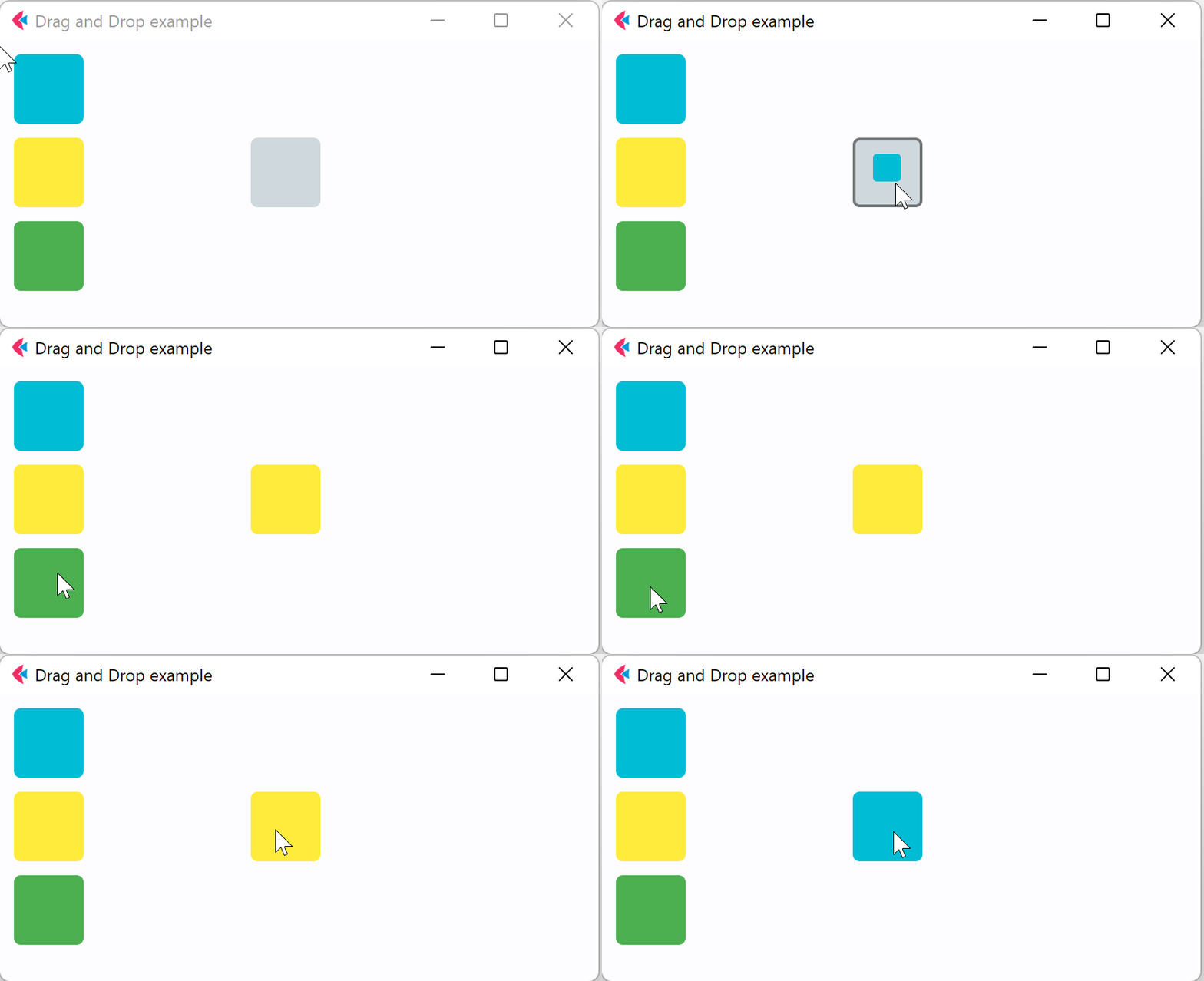
- Python
import flet
from flet import (
    Column,
    Container,
    Draggable,
    DragTarget,
    DragTargetAcceptEvent,
    Page,
    Row,
    border,
    colors,
)


def main(page: Page):
    page.title = "Drag and Drop example"

    def drag_will_accept(e):
        e.control.content.border = border.all(
            2, colors.BLACK45 if e.data == "true" else colors.RED
        )
        e.control.update()

    def drag_accept(e: DragTargetAcceptEvent):
        src = page.get_control(e.src_id)
        e.control.content.bgcolor = src.content.bgcolor
        e.control.content.border = None
        e.control.update()

    def drag_leave(e):
        e.control.content.border = None
        e.control.update()

    page.add(
        Row(
            [
                Column(
                    [
                        Draggable(
                            group="color",
                            content=Container(
                                width=50,
                                height=50,
                                bgcolor=colors.CYAN,
                                border_radius=5,
                            ),
                            content_feedback=Container(
                                width=20,
                                height=20,
                                bgcolor=colors.CYAN,
                                border_radius=3,
                            ),
                        ),
                        Draggable(
                            group="color",
                            content=Container(
                                width=50,
                                height=50,
                                bgcolor=colors.YELLOW,
                                border_radius=5,
                            ),
                        ),
                        Draggable(
                            group="color1",
                            content=Container(
                                width=50,
                                height=50,
                                bgcolor=colors.GREEN,
                                border_radius=5,
                            ),
                        ),
                    ]
                ),
                Container(width=100),
                DragTarget(
                    group="color",
                    content=Container(
                        width=50,
                        height=50,
                        bgcolor=colors.BLUE_GREY_100,
                        border_radius=5,
                    ),
                    on_will_accept=drag_will_accept,
                    on_accept=drag_accept,
                    on_leave=drag_leave,
                ),
            ]
        )
    )


flet.app(main)
Properties
content
Draggable control displays content when zero drags are under way.
If content_when_dragging is not None, this control instead
displays content_when_dragging when one or more drags are underway. Otherwise, this control always displays content.
content_feedback
The Control to show under the pointer when a drag is under way.
content_when_dragging
The Control to display instead of content when one or more drags are under way.
If this is None, then this widget will always display content (and so the drag source representation will not change while a drag is under way).
group
A group this draggable belongs to. For DragTarget to accept incoming drag
both Draggable and DragTarget must be in the same group.
Events
on_drag_complete
Fires when this draggable is dropped and accepted by a DragTarget.
on_drag_start
Fires when this draggable starts being dragged.