CupertinoActionSheet
An iOS-style action sheet.
To open this control, simply call the page.open() helper-method.
Examples
Basic Example
- Python
import flet as ft


def main(page):
    page.horizontal_alignment = ft.CrossAxisAlignment.CENTER

    def handle_click(e):
        page.add(ft.Text(f"Action clicked: {e.control.content.value}"))
        page.close(bottom_sheet)

    action_sheet = ft.CupertinoActionSheet(
        title=ft.Row([ft.Text("Title")], alignment=ft.MainAxisAlignment.CENTER),
        message=ft.Row([ft.Text("Description")], alignment=ft.MainAxisAlignment.CENTER),
        cancel=ft.CupertinoActionSheetAction(
            content=ft.Text("Cancel"),
            on_click=handle_click,
        ),
        actions=[
            ft.CupertinoActionSheetAction(
                content=ft.Text("Default Action"),
                is_default_action=True,
                on_click=handle_click,
            ),
            ft.CupertinoActionSheetAction(
                content=ft.Text("Normal Action"),
                on_click=handle_click,
            ),
            ft.CupertinoActionSheetAction(
                content=ft.Text("Destructive Action"),
                is_destructive_action=True,
                on_click=handle_click,
            ),
        ],
    )

    bottom_sheet = ft.CupertinoBottomSheet(action_sheet)

    page.add(
        ft.CupertinoFilledButton(
            "Open CupertinoBottomSheet",
            on_click=lambda e: page.open(bottom_sheet),
        )
    )


ft.app(main)
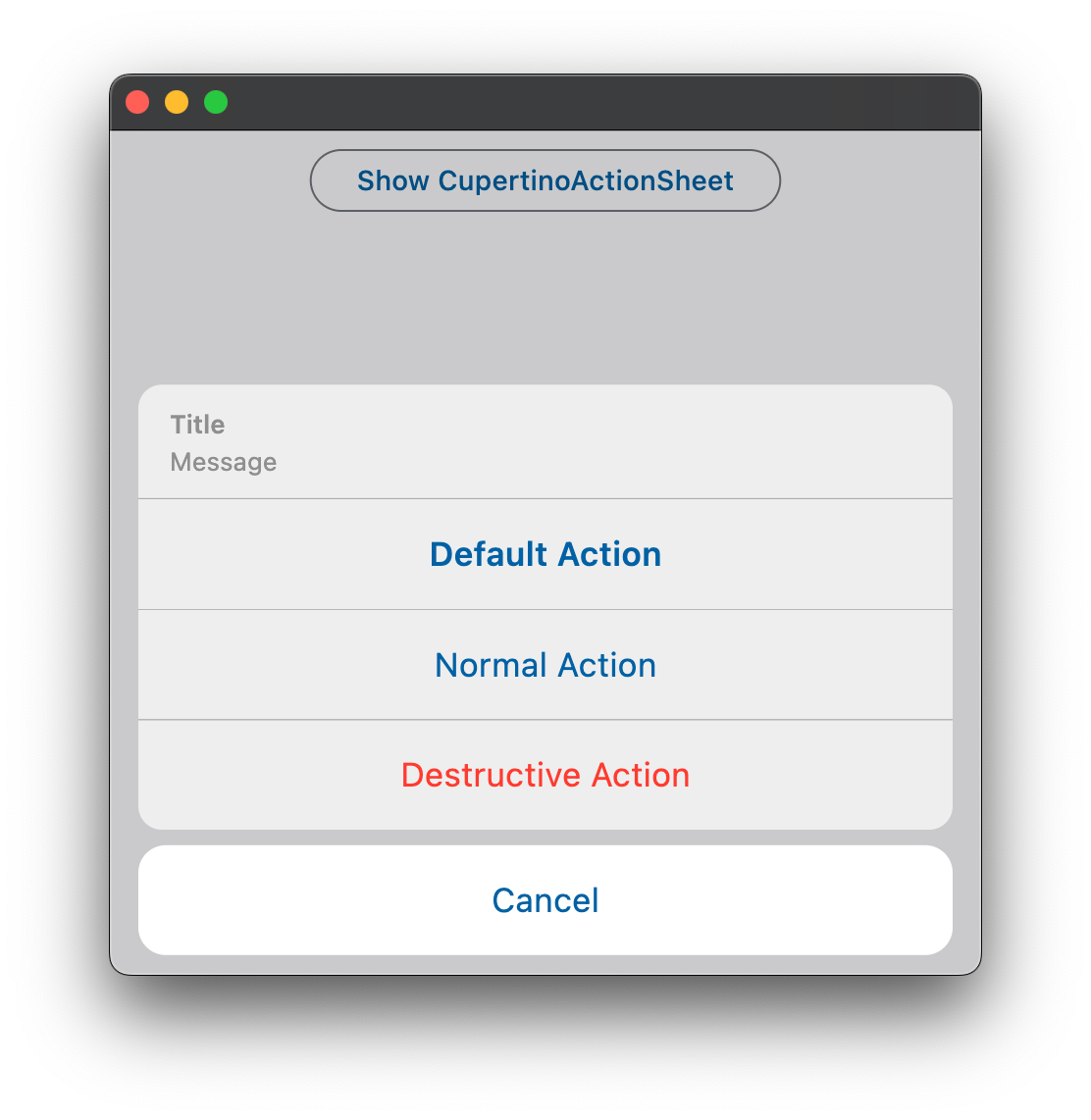
Properties
actions
A list of action buttons to be shown in the sheet. These actions are typically CupertinoActionSheetActions. This list must have at least one action.
cancel
An optional control to be shown below the actions but grouped separately from them. Typically a CupertinoActionSheetAction button.
message
A control containing a descriptive message that provides more details about the reason for the alert. Typically
a Text control.
title
A control containing the title of the action sheet. Typically a Text control.