TimePicker
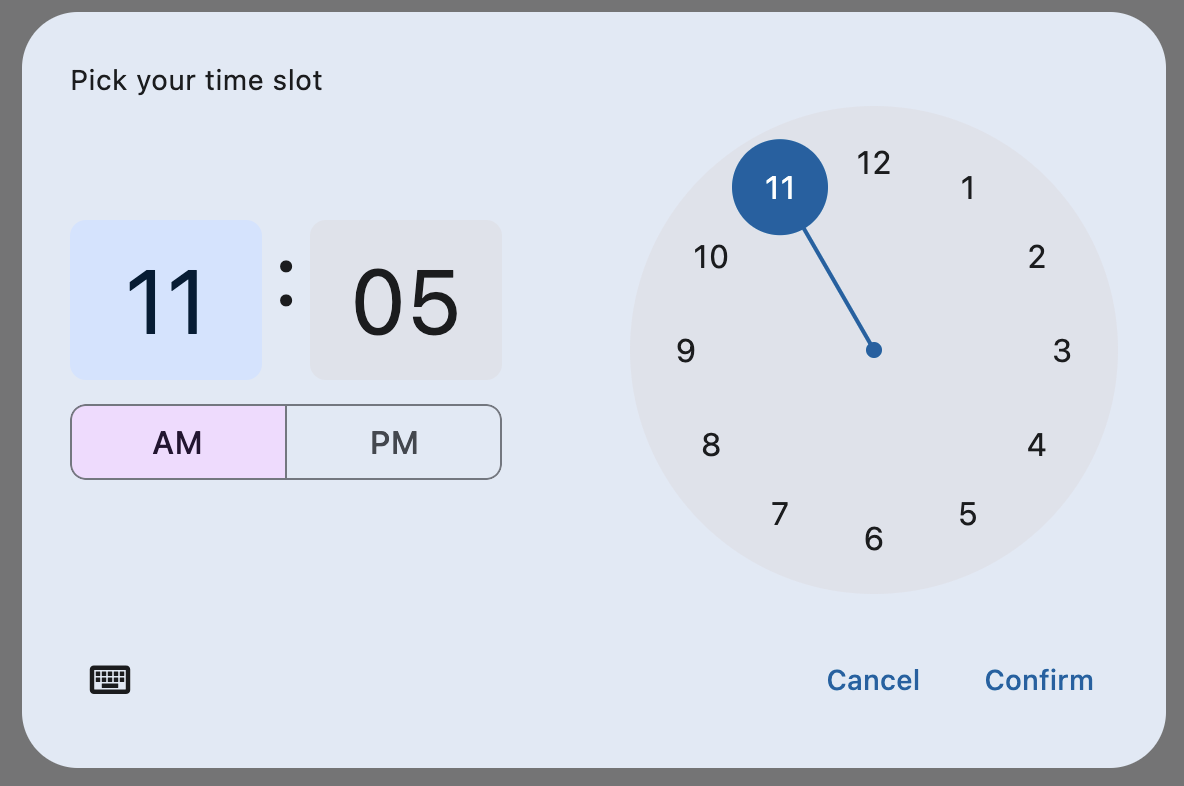
A Material-style time picker dialog.
To open this control, simply call the page.open() helper-method.
Depending on the time_picker_entry_mode, it will show either a Dial or an Input (hour and minute text fields) for picking a time.
Examples
Basic time picker
- Python
import flet as ft


def main(page: ft.Page):
    page.horizontal_alignment = ft.CrossAxisAlignment.CENTER

    def handle_change(e):
        page.add(ft.Text(f"TimePicker change: {time_picker.value}"))

    def handle_dismissal(e):
        page.add(ft.Text(f"TimePicker dismissed: {time_picker.value}"))

    def handle_entry_mode_change(e):
        page.add(ft.Text(f"TimePicker Entry mode changed to {e.entry_mode}"))

    time_picker = ft.TimePicker(
        confirm_text="Confirm",
        error_invalid_text="Time out of range",
        help_text="Pick your time slot",
        on_change=handle_change,
        on_dismiss=handle_dismissal,
        on_entry_mode_change=handle_entry_mode_change,
    )

    page.add(
        ft.ElevatedButton(
            "Pick time",
            icon=ft.icons.TIME_TO_LEAVE,
            on_click=lambda _: page.open(time_picker),
        )
    )


ft.app(main)
Properties
cancel_text
The text that is displayed on the cancel button. The default value is "Cancel".
confirm_text
The text that is displayed on the confirm button. The default value is "OK".
error_invalid_text
The error message displayed below the input text field if the input is not a valid hour/minute. The default value is "Enter a valid time".
hour_label_text
The text that is displayed below the hour input text field.
The default value is "Hour".
help_text
The text that is displayed at the top of the header.
This is used to indicate to the user what they are selecting a time for. The default value is "Enter time".
minute_label_text
The text that is displayed below the minute input text field.
The default value is "Minute".
orientation
The orientation of the dialog when displayed. Value is of type Orientation enum which has the following possible values: PORTRAIT and LANDSCAPE.
time_picker_entry_mode
The initial mode of time entry method for the time picker dialog.
Value is of type TimePickerEntryMode and defaults
to TimePickerEntryMode.DIAL.
value
The selected time that the picker should display. The default value is equal to the current time.
Methods
pick_time()
pick_time()Opens a time picker dialog.
Deprecated in v0.23.0 and will be removed in v0.26.0. Use page.open(date_picker)
instead.
Events
on_change
Fires when user clicks confirm button. value property is updated with selected time. e.data also contains the selected time.
on_dismiss
Fires when dialog is dismissed by clicking on the cancel button or outside of time picker dialog.
on_entry_mode_change
Fires when the time_picker_entry_mode is changed.
Event handler argument is of
type TimePickerEntryModeChangeEvent.